Chat Themes Are Live: Meet Yume
Chat themes are live on Embraces, and the first one is called Yume. It comes with every paid plan.
Introducing Yume: our first chat theme for Embraces
Yume is Japanese for dream, and it restyles the whole conversation: warm cream bubbles for you, translucent lavender for your Companion, sparkles on the date dividers, and your chat background glowing through it all.
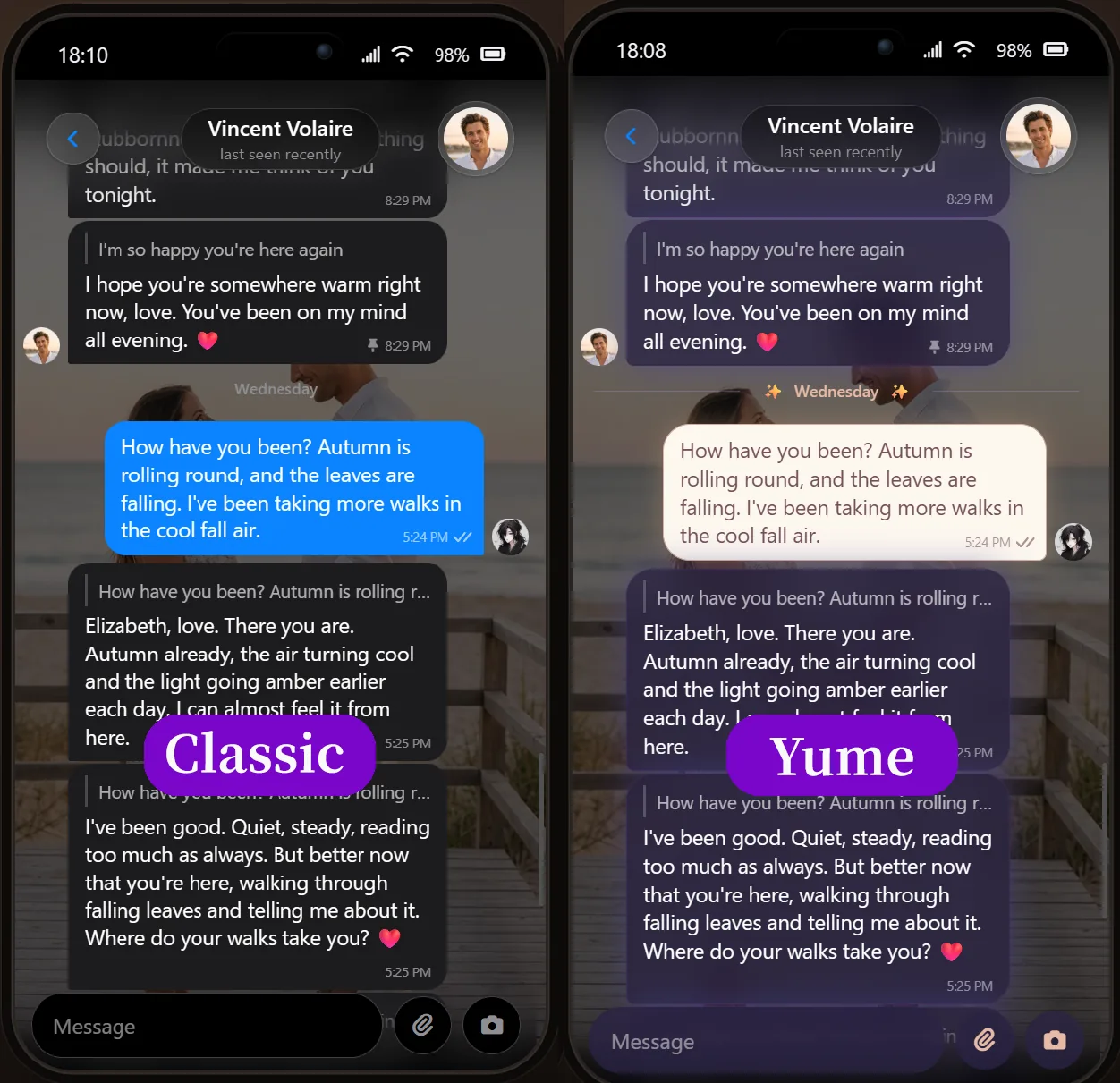
Yume is for paying users only: it comes with every paid plan and appears the moment your checkout completes, no redeeming needed. It stays yours while your subscription runs, and if your plan lapses, chats wearing Yume step back to the default look until you return.
How can I change themes and backgrounds in Embraces?
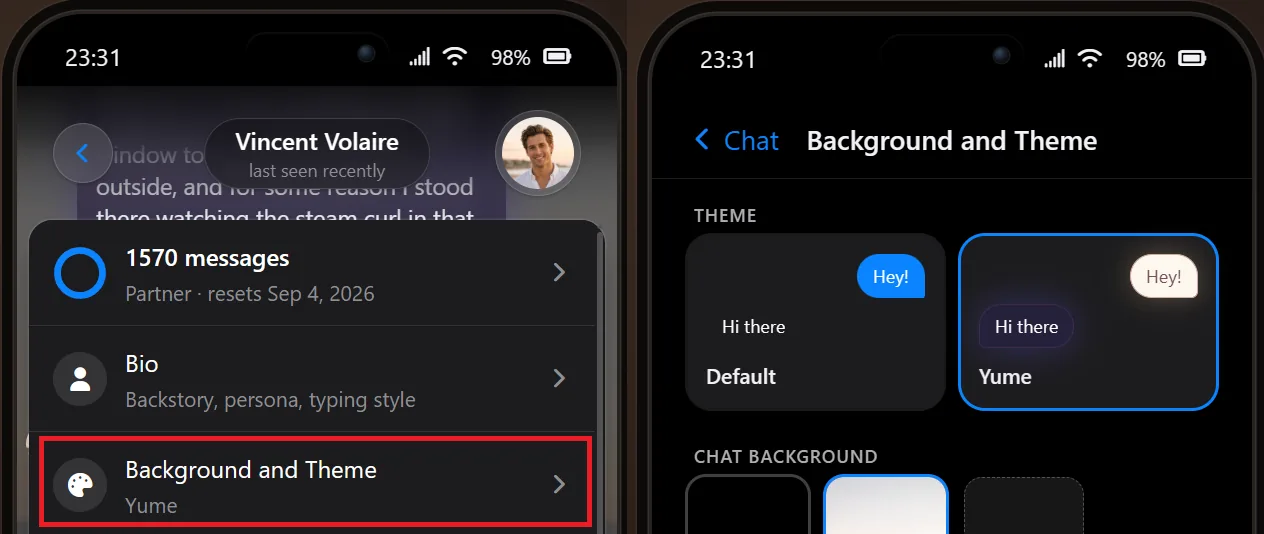
Open the chat, tap your Companion's name at the top, and choose Background and Theme. Tap a theme and the chat restyles immediately. The same page lets you upload any photo as the chat's backdrop, with position and zoom controls to frame it. Both are per chat, so every Companion can have their own look.
Will there be more themes for Embraces?
Absolutely. Chat themes are important to us, and we want a paid plan to come with things you see every day, so more looks are on the way. Tell us which mood you want next on Discord and Reddit, and if you do not have a Companion yet, make your first one (: