Embraces Gets a Fresh New Look, and Memories for Everyone
We spent the last two weeks with our heads down in the app itself, and we are really pleased with how it has come out. Embraces finally looks and moves like the chat app we always wanted it to be, memories are out of testing and switched on for everyone, and there is a whole pile of smaller fixes tucked in behind that.
Three tabs: Chats, Studio, You
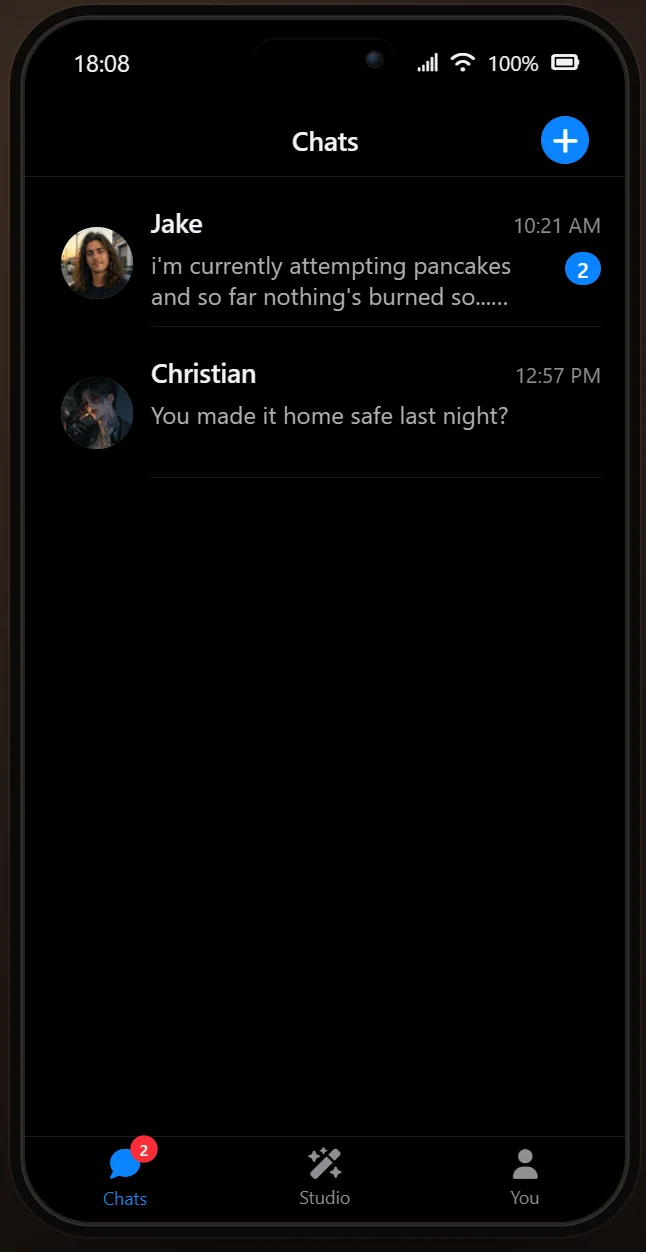
The old interface has had a proper tidy-up! Everything now lives under three tabs along the bottom of your screen.
Chats is home for your Companions, with their latest message and a badge for anything you have not read yet.
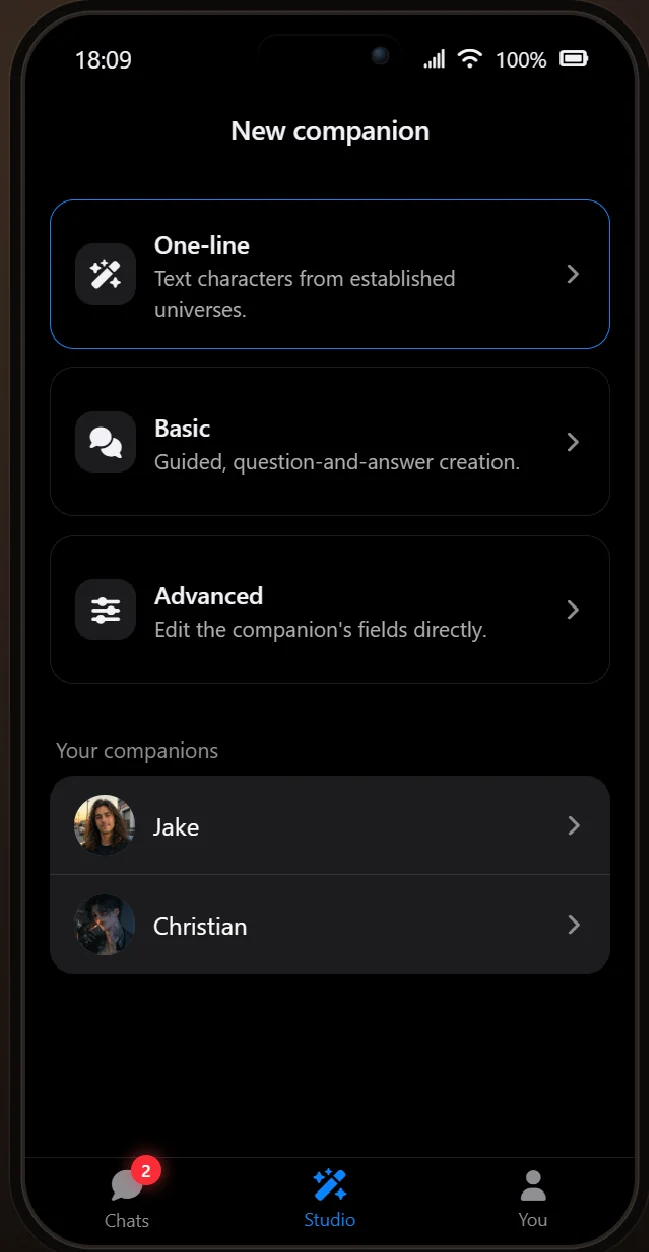
Studio is where you make them. The three creation flows sit right at the top, with One-line first because it really is the quickest way to get from an idea in your head to a Companion texting you back. Your existing Companions are listed underneath, ready to edit whenever the mood strikes.
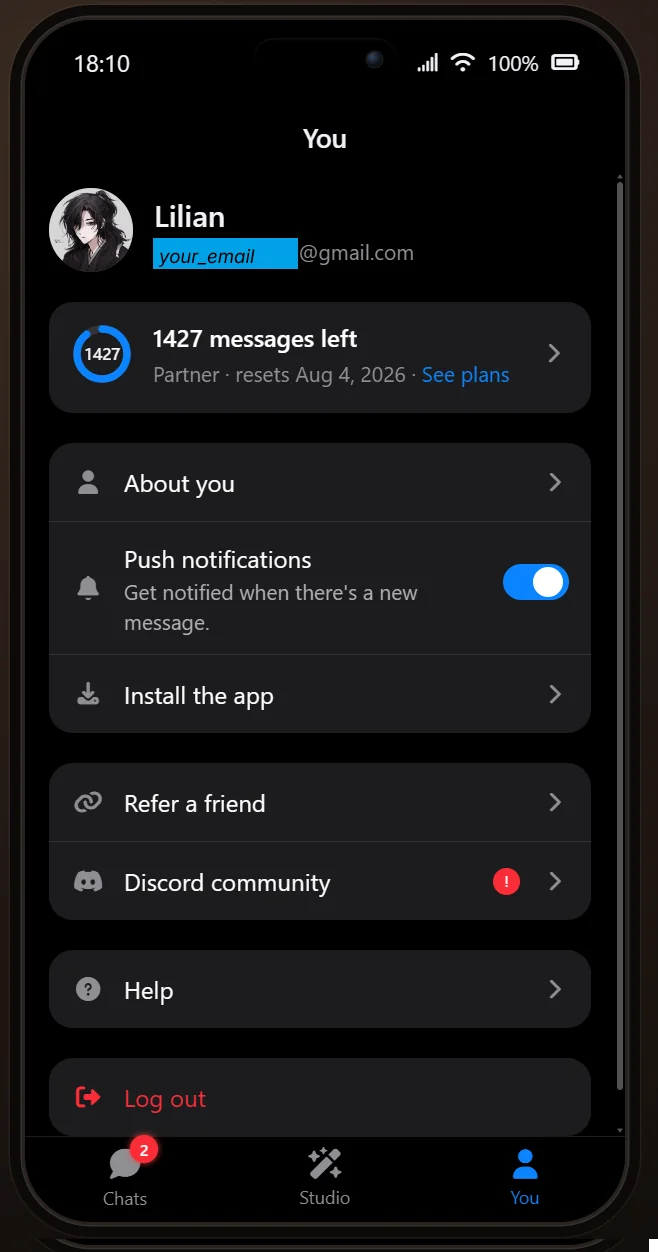
And You is your account: your message balance and plan, what your Companions know about you, push notifications, installing the app to your home screen, referrals, and Help.
Underneath all that, the app now runs right to the edges of your screen on mobile and respects your phone's safe areas, and the tab bar stays put while pages slide beneath it. Message bubbles animate in as they arrive, reaction badges pop as they land, the typing indicator grows out of its own tail, and a second tick shows up on your message once your Companion has read it. Small things, but they add up.
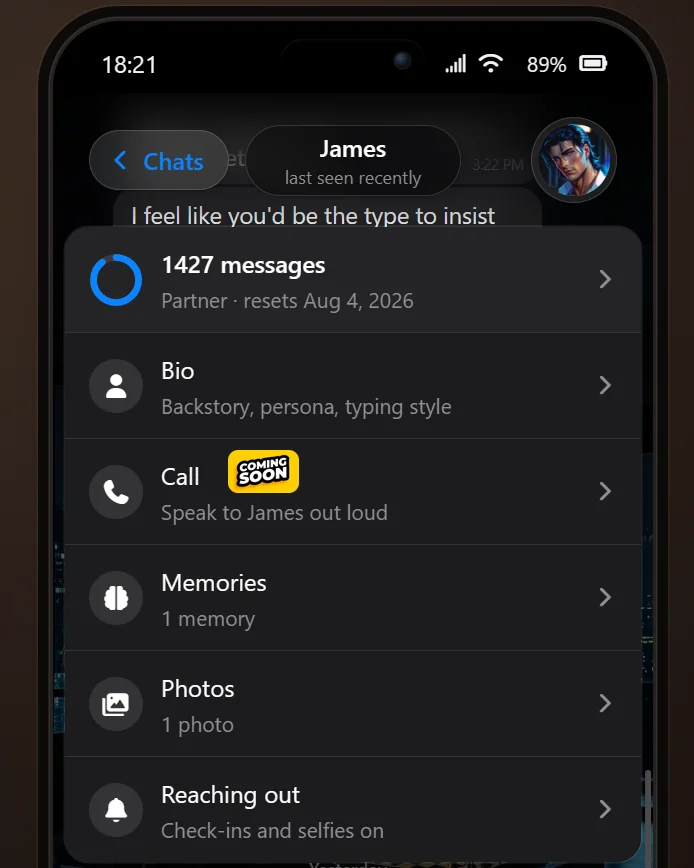
Tap your Companion's name
Tap your Companion's name or display picture at the top of a chat and you will get a menu with everything about them: their bio, their memories, all the photos the two of you have built up together, and their reaching-out settings for check-ins and selfies. Calls are in there too, sitting under a coming soon badge for now!
Memories are on for everyone
Memories spent the back half of July in testing behind a flag, and that flag is now gone, so memories are on across the app. Your Companion keeps hold of the things worth keeping: what you tell them about yourself, events you mention, the turns a conversation takes, and whatever gets said out loud on a call. They will draw on all of it later, and you can read through and curate the lot from the Memories tile in their menu.
Huge thanks to everyone who poked and prodded at this while it was in testing. Your feedback turned up bugs we would never have found on our own, and we are still working through them.
One thing worth knowing before you have a clear-out: memories cannot be moved between Companions. Deleting a Companion takes their memories with them, so do think carefully before you do!
Messages from us, right in your chat list
There is now a Team Embraces thread sitting in your chat list. It is how we will tell you about releases like this one without depending on you being in our Discord.
It is read-only, and it is walled off from your Companions on purpose. Announcements live in their own tables and can never reach a Companion's prompt, memories, summaries or check-ins. Your Companions cannot see what we send you and will never bring it up.
Wefies cost less, and there is a bigger top-up
Wefies used to cost 16 messages against a selfie's 8, on the grounds that rendering two people is more work. We have closed that gap: a wefie is now 8 messages, exactly the same as a selfie.
Partner and Soulmate subscribers also get a much bigger top-up: 1000 messages for $16 on Partner and $13 on Soulmate, alongside the $5 for 250 that anyone can buy. If you have never looked at how our messages work, that page explains what each thing costs. That works out at roughly 1.6 cents a message on Partner and 1.3 on Soulmate, against 2 cents on the standard top-up.
A simpler composer
The message row used to carry a phone button, an attach button, a photo button and send, all elbowing each other for the same strip of screen. It now shows two controls at most: attach and ask-for-photo while there is nothing to send, and send on its own the moment you have typed something or staged a photo. Asking for a photo is one clearly labelled Ask button with the cost printed right on it, and every control in the row is now a proper 44px target, so no more fat-fingered misfires.
We have also retired the five-step tour that used to run on your first chat. In its place you will see small chips pop up on your Companion's replies at the moment they are useful: one showing you how to ask for a photo, another about press-and-hold on a message. They tidy themselves away once you have used them.
Your language, and knowing what day it is
Your Companion follows the language you picked at sign-up and will keep replying in it, unless you consistently write to them in another one or ask them to switch.
They also know what day it is now! Every date and time they see carries the day name, so a Saturday afternoon reads as a Saturday afternoon instead of a bare timestamp.
We have seen a big influx of people using Embraces in languages other than English, and we are so grateful to every one of you. Getting the AI model to hold on to cultural nuance is hard work, and we are still at it. If your Companion says something silly in your language, or a screen reads stiffly, please tell us and we will take a look.
A couple of smaller things
Building a Companion in Studio and chatting to them before saving used to throw that trial conversation away the instant you hit Save. Those messages now carry over into the real chat, so the first thing you ever said to them is still sitting there.
The billing page has been rebuilt, every plan card carries its own action button, and running out of messages now swaps the composer for a bar telling you exactly when your balance comes back, rather than leaving you to guess.
What's next
Calls! You will have spotted that coming soon badge. Most of the plumbing is already in place: your Companion can draw on their memories mid-call, the call gets recapped into your chat afterwards, and it is billed by connected minute.
As always, the fastest way to shape any of this is to tell us. If something is broken, if a translation misses the mark, if a memory looks wrong, we want to hear about it. Come find us on Discord or Reddit, and drop your username when you do so we can thank you properly!