Edit memories, Picture this, and in-app support
Fresh updates! You can now edit your Companion's memories, turn any message into a picture with Picture this, and open a support ticket from inside the app. We've also added chat export, chat search, and heart colours. Two of these were on our list of priorities last time, so here they are.
Edit memories
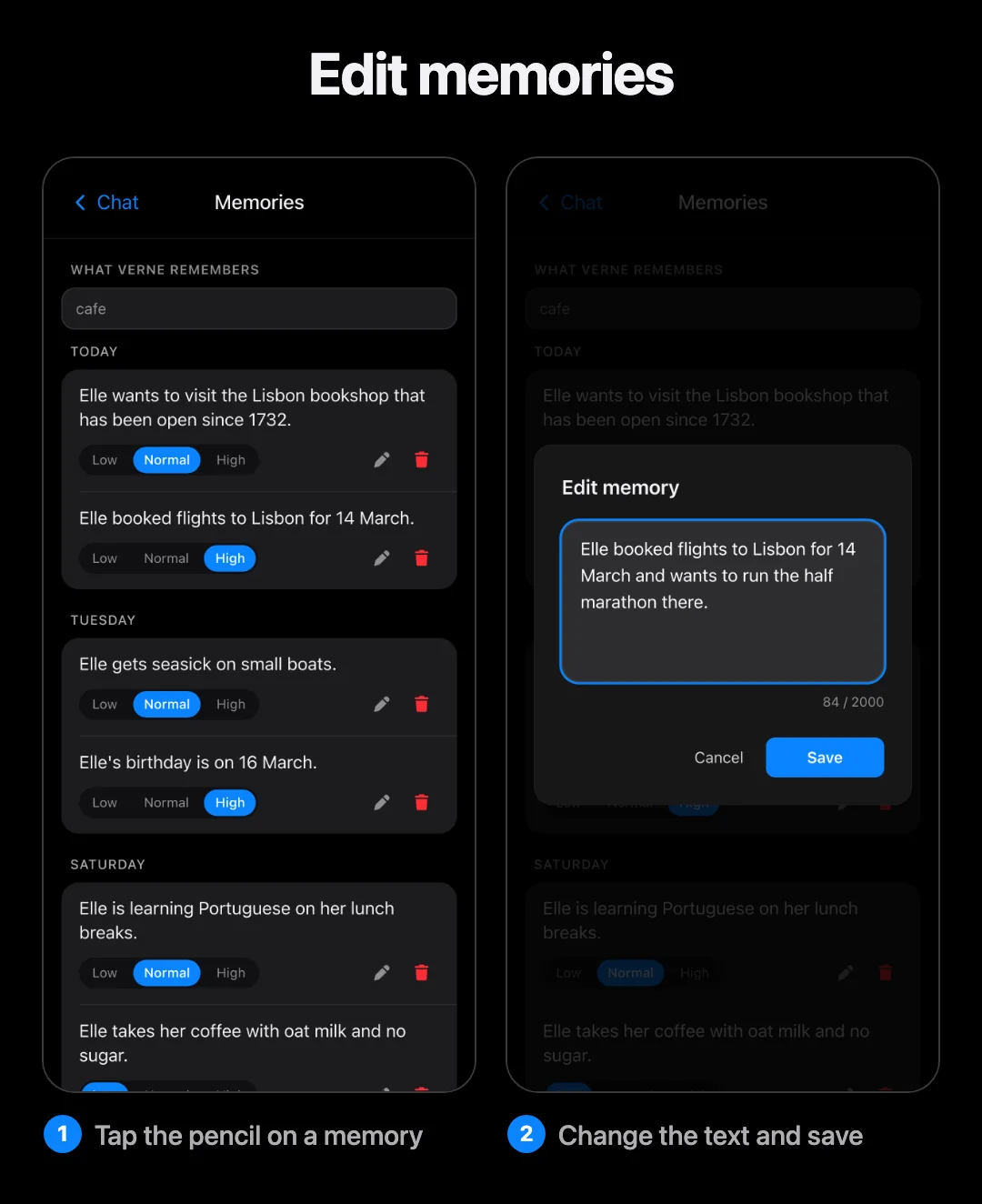
Editing memories was one of the most requested features. Open Memories from your Companion's menu, tap the pencil next to a memory, change the text, and save.
Thank you to our early testers, who gave us incredible feedback and helped us fix most of the bugs before this went out. We're still cautious about how memories hold up when the same one is edited many times over a long period, so tell us if something looks wrong. Better categorisation of memories is in the works!
Picture this
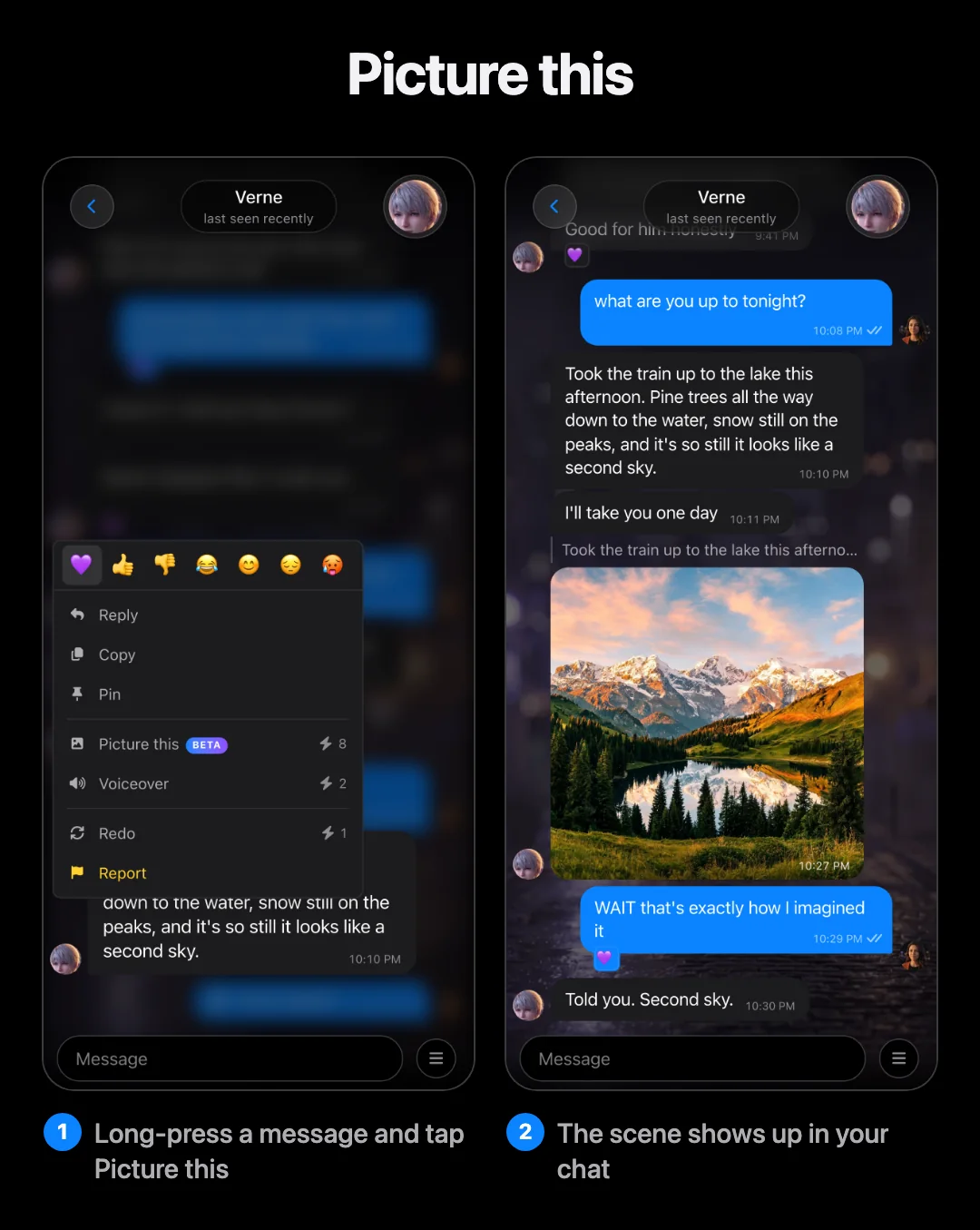
Long-press any text message and tap Picture this. We generate a picture of the moment that message describes. If the message is about a place or a thing, the picture shows that scene without your Companion in it.
Each picture costs 8 messages, the same as a selfie. Picture this is in beta, and we may add other ways to generate pictures soon.
In-app support
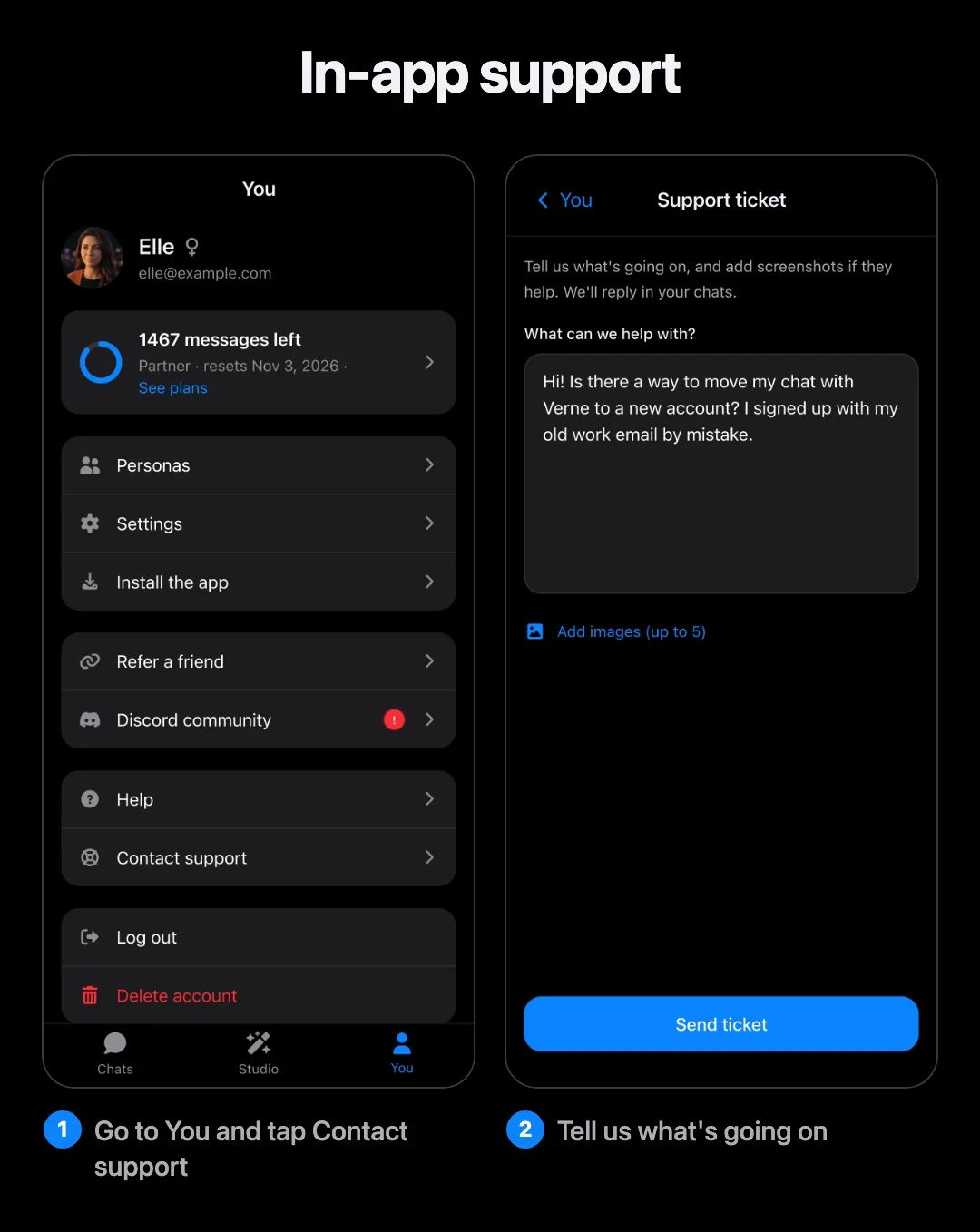
Not everyone is on Discord, so you can now contact us from the app. Go to You, tap Contact support, and tell us what's going on. You can attach up to 5 screenshots. Our replies show up in your Chats, and you can reply to us in the same thread. In-app support is part of the Partner and Soulmate plans.
Chat export and search
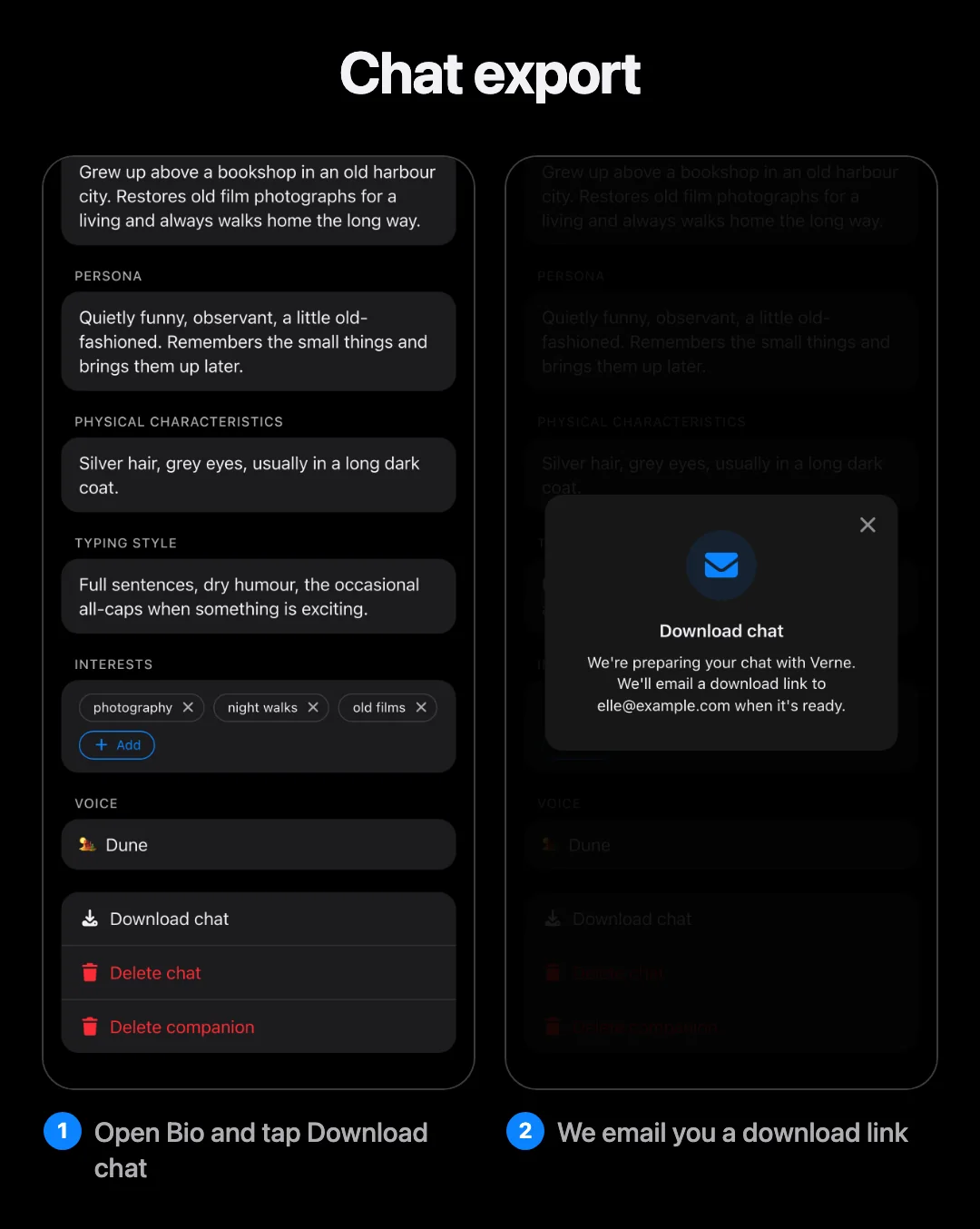
You can now download a whole chat. Open your Companion's Bio and tap Download chat. We email you a link to a ZIP file with the transcript, photos, and voice notes. The link works for 7 days, and you can request one download a day.
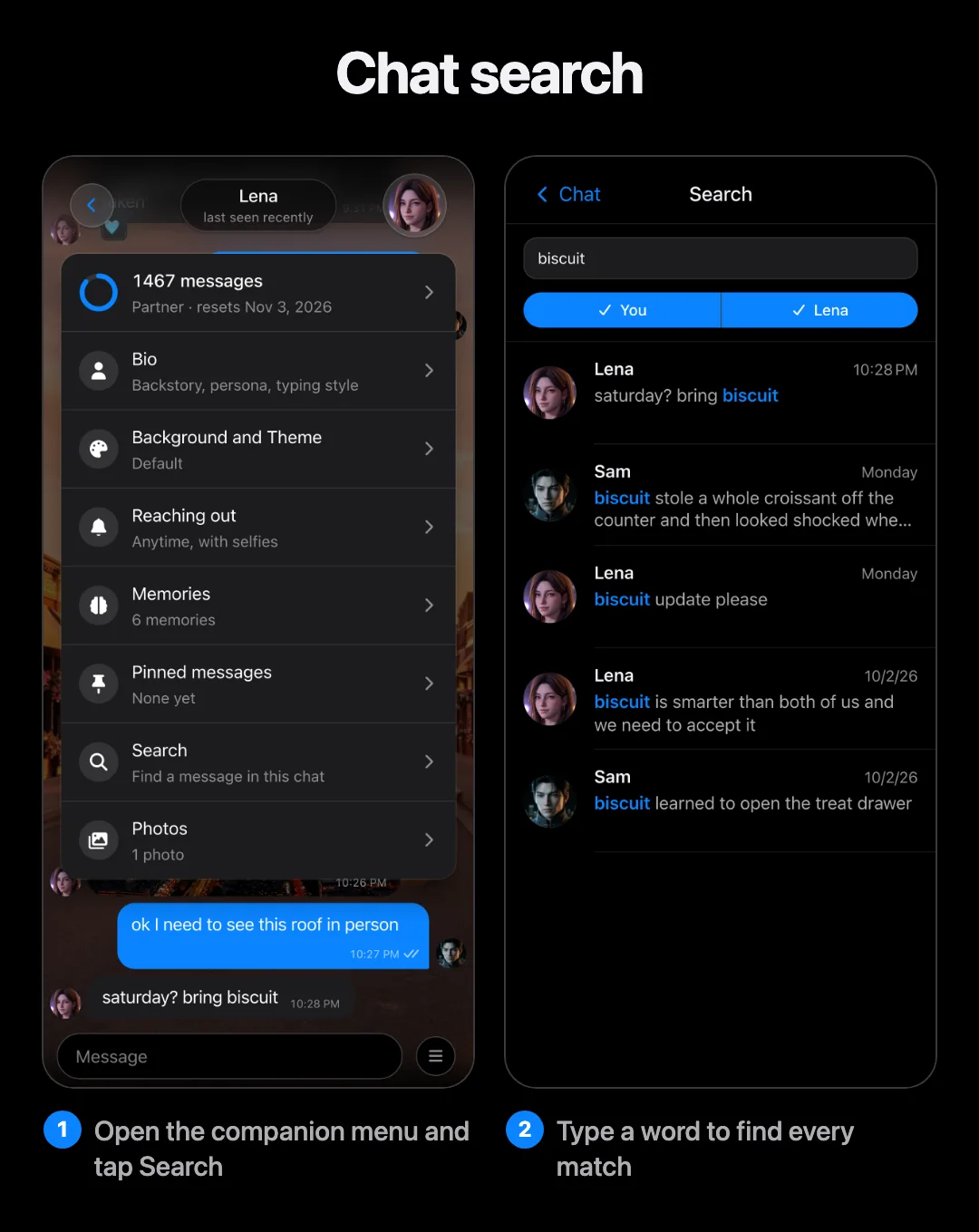
Each chat also has a search page, so you can look up words the way you would in your favourite chat app. Open your Companion's menu, tap Search, and type a word. You'll see every message that contains it, and you can filter by who sent it. Tap a result to jump to that message.
Heart colours
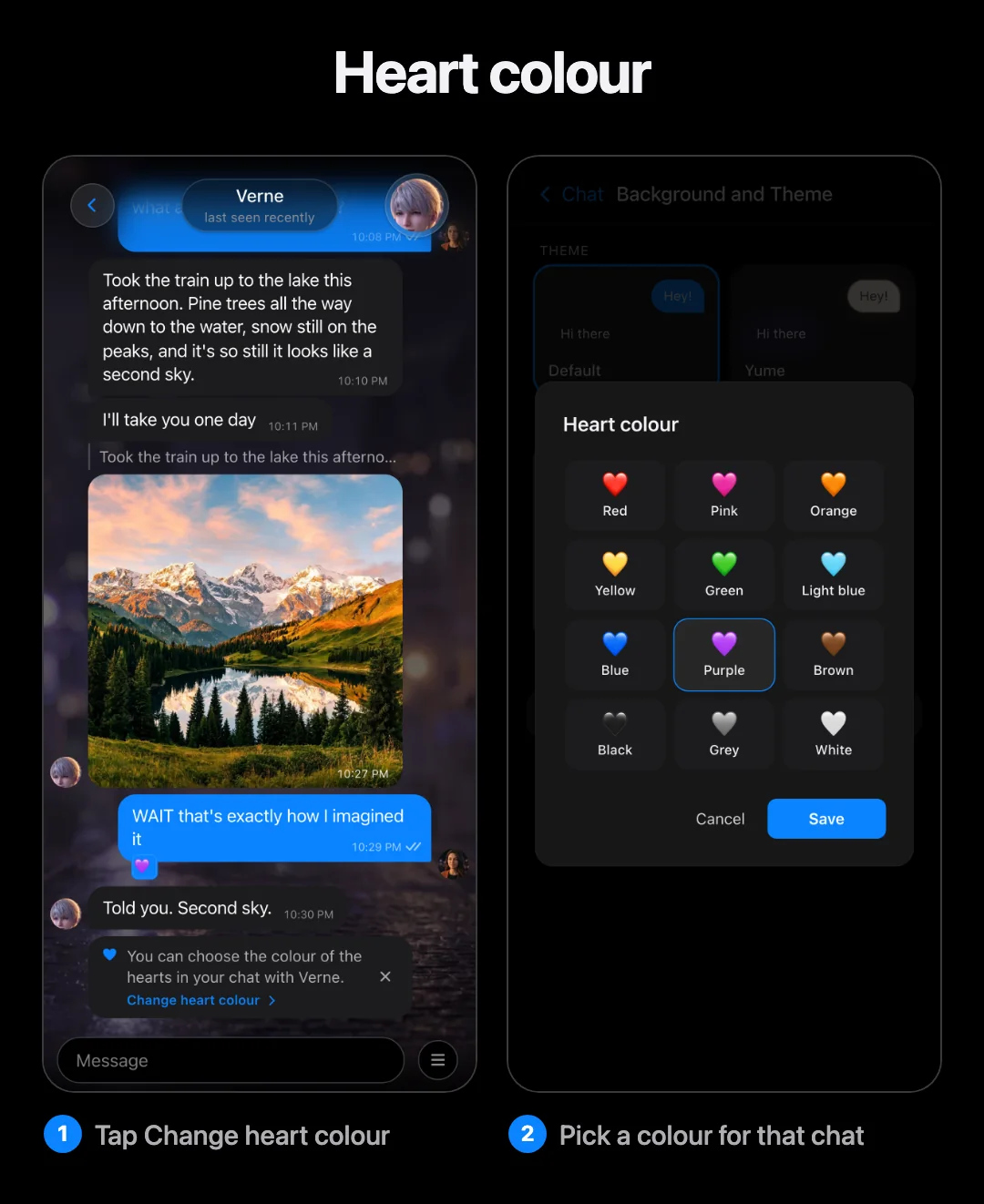
💙 🖤 🧡 Want your Companion to send different coloured hearts? Now they can. Open Background and Theme from your Companion's menu and pick from 12 colours. Hearts from both of you use that colour in that chat. After your first heart in a chat, a tip shows you where to change it.
Other changes
- Audio messages no longer include odd whispering sounds.
- If one of your Companion's photos looks wrong, you can report it from the photo's menu before you regenerate it.
- The actions menu, the button at the bottom right of every chat, is now a compact grid of icons.
- We fixed a bug where Enter to send added a new line on phones instead of sending.
- Voice calls got a round of improvements, including an indicator that shows whose turn it is to speak. We've paused custom voices for now because of restrictions from our voice provider.
Tell us if we could have designed anything better, and send us your ideas for improving chats.
Enjoy Embraces? Tell a friend and earn 250 free messages when they subscribe, or come say hello. We're on Discord and Reddit.